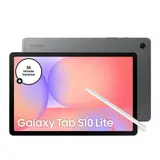
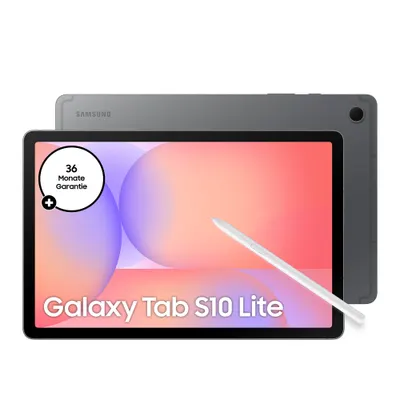
Samsung has quite a bit of news in store again, and we're taking a closer look. From the upcoming Galaxy Tabs due to launch in 2026, to the handy Trade-In programme, right through to the newest One UI software – there's plenty to discover. So if you're thinking about trading in your old device, or you're simply curious about the newest features, you've come to the right place. We'll cover what you need to know so the switch goes smoothly and you get the most out of both your old and new Samsung device.
Key Points
The Samsung Trade-In programme lets you exchange your old device for a discount on a new Samsung product. It applies to many types of devices, not just smartphones.
There are various Trade-In options, including instant credit from Samsung or credit through mobile network operators. These often can't be combined.
Your old device has to meet certain criteria, such as being in working order and free of major damage. You'll need to back up your data and reset the device beforehand.
The new One UI 8.0 brings plenty of AI features with it and will be available for a wide range of Samsung devices, though compatibility can vary by model.
When trading in your device, it's important to prepare it properly: back up your data, remove all locks and reset the device to factory settings. Also make sure you only send the device itself, without any accessories.
Samsung Galaxy Tab 2026: An Overview
The Range of Samsung Galaxy Tabs
Samsung has firmly established itself as a leading name in the tablet market in recent years, and the Galaxy Tab range is no exception. There isn't just a single Galaxy Tab, but a whole family designed for different needs and budgets. From the entry-level A-series models, which are great for everyday tasks like browsing, social media and simple games, to the high-end S-series devices, which win over demanding users and creatives alike with their brilliant displays and powerful processors.
The choice is huge, and it's worth taking a close look at which model suits you best.
One example is the
Samsung Galaxy Tab A11+ 11-inch tablet
, which offers a good balance of size, performance and price. It's ideal for families or as a second device. But if you need more power, perhaps for graphic design or intensive multitasking sessions, then the S-series models like the
Samsung Galaxy Tab S10
are more your thing. The S-series often comes with features you'd otherwise only find on high-end smartphones, such as the S Pen, which makes working and drawing on the tablet even more intuitive.
Innovations in the Samsung Ecosystem
What really sets Samsung apart is how well its devices work together. If you already own a Samsung smartphone or smartwatch, you'll quickly come to appreciate the benefits of the ecosystem. Features like Quick Share for fast file sharing, the ability to take calls from your tablet, or seamless copy and paste between devices make everyday life easier. It's not just a gimmick – it's genuinely useful if you're often on the move or simply want to work efficiently.
This is also an important point for the future. Samsung is investing heavily in AI features that span all its devices. Imagine your tablet proactively making suggestions based on your habits, or helping you translate text more quickly. That's no longer a distant dream – it's becoming more and more of a reality with updates like One UI 8.0.
Future Developments in Tablets
When we talk about the future of the Galaxy Tabs, it's not just about faster processors or better cameras. The real magic lies in the integration of artificial intelligence and new display technologies. We can expect tablets to become even more like personal assistants, not just keeping us informed but actively helping with tasks. Think improved handwriting recognition, smarter note organisation, or even AI-powered creative tools built right into the device.
The hardware won't stand still either, of course. Better battery life, sturdier builds, and perhaps even the foldable displays we're already seeing on smartphones could soon make their way to tablets too. Samsung is constantly experimenting, and the direction is clear: tablets are becoming more powerful, more versatile, and even more deeply integrated into our digital lives. It remains exciting to see what the next generations will bring, but one thing is certain: Samsung will play an important role in it.
Understanding the Samsung Trade-In Programme
If you're thinking about a new Samsung device, the Trade-In programme is a clever way to use your old device to lower the price. It's essentially a swap: you hand in your old phone, tablet or even a smartwatch and get a discount on your new Samsung product in return. Sounds simple, right? But there are a few things to keep in mind so everything goes smoothly.
What is the Samsung Trade-In Programme?
The Samsung Trade-In programme is essentially an incentive scheme. You can trade in your current, qualifying device for a new Samsung device and get an instant discount in return. This applies to a whole range of devices, not just smartphones. Think tablets, smartwatches, PCs and even headphones. The value you get for your old device is deducted directly from the purchase price of your new Samsung device. It's a great way to keep costs down on the newest
Galaxy innovations
in check.
There's also a separate scheme called the Standalone Trade-In programme. With this, you can sell your old device without having to buy a new one from Samsung straight away. It's run independently of Samsung, and you're paid the value of your device based on its model and condition. This is a good option if you simply want to get rid of your old device without needing a new one right away.
Requirements for Your Old Device
For your old device to be accepted for Trade-In, it needs to meet a few criteria.
Your device must be able to switch on and hold a charge, without switching off unexpectedly.
The display should be in working order, with no black spots or dead pixels. Obvious damage such as deep scratches, dents or water damage will usually rule a device out. It's also important that the device isn't locked, for example by an anti-theft lock or an Apple ID (for iPhones). And crucially, you must be the rightful owner of the device. Leased devices are generally excluded, unless you buy them out beforehand.
Here's a quick checklist
The device switches on and holds a charge.
The display works properly, with no cracks or pixel faults.
No deep scratches, dents or water damage.
No anti-theft locks or account locks (e.g. iCloud, Google account).
You're the owner of the device.
The Value of Your Old Device
The value you get for your old device depends on several factors. The model is obviously key – newer, more sought-after models are worth more. Condition plays a huge role, as we just discussed. A device with no scratches and full functionality is worth more than a heavily used one. Samsung also takes market demand into account. Sometimes there are special promotions where certain models get a higher Trade-In value. So it's worth keeping an eye on current offers, especially if you have an older but still well-kept device like a
refurbished Galaxy Z Flip 3
, which might still have a surprisingly good value.
The exact valuation of your device only happens once Samsung receives and inspects it after shipping. The value shown during the order process is an estimate, which can change if the device doesn't meet the requirements.
Preparing Your Device for Trade-In
Before preparing your old Samsung device for Trade-In, it's important to follow a few steps. This ensures the process runs smoothly and your device is accepted.
Remember to back up and delete all personal data before sending off your device.
Back Up Your Data and Reset the Device
First things first: back up all your photos, videos, contacts and important documents. Use cloud services like Samsung Cloud or Google Drive for this, or transfer the data to a computer. After that, a
full factory reset
is essential. This wipes all your personal information and settings. Be sure to sign out of all accounts beforehand, especially your Samsung and Google accounts. This prevents problems when your device is accepted.
Removing Security Features
Make sure all lock screens, such as PINs, patterns or fingerprints, are disabled. It's equally important to turn off features like Google Factory Reset Protection (FRP) or the iCloud lock, if you're trading in an older Apple device. These security mechanisms need to be switched off so Samsung can process the device. If they remain active, the device may be rejected.
Packaging and Shipping Your Device
Be sure to remove the SIM card and any memory card (SD card) from your device. These won't be sent back if you forget them. Pack the device securely, ideally in its original packaging if you still have it, or in a sturdy box with plenty of padding. Make sure the device can't be damaged in transit. Follow Samsung's instructions regarding the shipping label and courier. A well-packaged device is the first step towards a successful
Trade-In offer
.
Here's a quick checklist to make sure you haven't forgotten anything:
Back up all personal data.
Sign out of all accounts (Samsung, Google, etc.).
Perform a factory reset.
Disable all screen locks and security features.
Remove the SIM card and memory card.
Pack the device securely.
If you follow these steps carefully, you'll increase the likelihood that your device will be accepted without issues and that you'll receive the full value for your trade-in. It's really not complicated once you've done it once.
For older models like the
Samsung Galaxy A17 5G
, essentially the same preparation steps apply to simplify the Trade-In process.
Differences Between Trade-In Options
If you're thinking about a new Samsung device, the Trade-In programme is a great way to lower the price. But hold on – there's more than one way to do it. Samsung offers several routes here, and it's good to know what's behind each one so you're not caught out.
Samsung Instant Credit vs. Carrier Credit
This is probably the biggest difference you'll come across. If you buy directly from Samsung, you'll often get
an instant
credit. This means the value of your old device is deducted directly from the price of the new device you're buying. It's really handy and makes the purchase cheaper straight away. You could, for example, get the
Samsung Galaxy S24 Ultra 5G
at a better price.
On the other hand, there are carrier credits. These are usually promotions handled through your mobile network operator. Instead of an instant reduction, you receive the value of your old device spread across several months as credit on your phone bill. This can add up over time, but the effect isn't felt straight away. It's important to understand that these two options can't be combined – you have to choose one.
Standalone Trade-In Programme
Then there's the so-called Standalone Trade-In programme. This is a bit different, as it isn't directly tied to buying a new device from Samsung. Here, Samsung often works with partners such as Likewize. You can simply trade in your old device and receive money or credit that you can then use more flexibly. This is a good option if you don't have a new device in mind yet, or if you simply want to get rid of your old one and get some money for it. It's an independent way of realising the value of your old device.
Combining Offers
A common question is whether you can combine different offers. The short answer is usually no. If you opt for Samsung's instant credit, you generally can't combine it with a separate promotion from your mobile network operator. The same goes for carrier credits – these are often tied to a purchase through the carrier and can't be mixed with other Samsung promotions. It's always worth checking the exact terms of each promotion before deciding. Occasionally there are special bundles that do allow combinations, but that's more the exception than the rule.
Here's a quick overview
Samsung Instant Credit
A direct price reduction when buying a new Samsung device. Ideal for instant savings.
Carrier Credit
A monthly credit on your phone bill over a set period. Good for long-term planning.
Standalone Trade-In
Trade in your old device with no obligation to buy, often through partners like Likewize. Flexible and independent.
With Trade-In promotions, it's important to read the details carefully. What looks like a great offer at first glance can come with hidden conditions. Always check whether the offer applies to the device you actually want to buy, and how the value of your old device is calculated. Sometimes it's better to wait a few days if a better promotion is coming up, especially if you have a device like the Samsung Galaxy S24 in mind.
One UI 8.0: The Next Generation
New AI Experiences with One UI 8.0
Samsung is upgrading its devices with One UI 8.0, bringing a whole range of new features, most of them built around artificial intelligence. That's something a bit different, isn't it? You can tell Samsung is really trying to make the experience simpler and smarter.
The integration of AI is meant to make everyday tasks easier and open up new possibilities.
For example, there are now features like 'Now Brief', which gives you a quick summary of your daily activities. Or 'Writing assist', which helps you improve your text, whether it's grammar, style or getting the right tone. That's pretty handy if you write a lot.
Compatible Devices for One UI 8.0
Of course, not every device gets the update straight away, but Samsung has quite a broad list. The newest models, such as the Galaxy S25 series and the Z Fold7/Flip7 range, are naturally included from the start. But older devices, going back as far as the S21 FE series and some A-series models, will also receive the update. It's a similar picture with tablets, where the newer Tab S models and some Tab A devices are also on the list. It's worth knowing, though, that not all AI features will run equally well on every device. On some A-series models or the Tab S10 FE variants, the AI features may be limited or unavailable altogether.
Here's a quick overview of which devices are getting the update
Galaxy S-series
S25 FE, S25 Edge, S25 Ultra, S25+, S25, S24 Ultra, S24+, S24, S24 FE, S23 Ultra, S23+, S23, S23 FE, S22 Ultra, S22+, S22, S21 FE
Galaxy Z-series
Z Fold7, Z Flip7, Z Flip7 FE, Fold6, Z Flip6, Z Fold5, Z Flip5, Z Fold4, Z Flip4
Galaxy Tab S-series
Tab S11 Ultra, Tab S11, Tab S10 Ultra, Tab S10+, Tab S10 FE+, Tab S10 FE, Tab S9 Ultra, Tab S9+, Tab S9, Tab S9 FE+, Tab S9 FE, Tab S8 Ultra, Tab S8+, Tab S8
Galaxy A-series (Smartphones)
A56 5G, A54 5G, A53 5G, A36 5G, A35 5G, A26 5G, A25 5G, A17 5G, A16 5G, A15 5G
Galaxy Tab A-series
Tab A11+
The exact availability and scope of the AI features can vary by model, so it's worth checking the specific details for your device.
Upgrade Process for One UI
Thankfully, the update itself is fairly straightforward. You can simply check in your device's settings to see if the new version is ready for you. Just go to Settings, then 'Software update' or 'System updates', and tap 'Download and install'. If the update is available, it will usually download automatically. Sometimes you just need to tap 'Download now'. If you're not sure which version is currently running on your device, you can find that information under Settings > About phone > Software information. That way you can keep track of what's running on your phone or tablet. If you have, for example, a
Samsung Galaxy Tab S9 FE+
, you can check there to see whether the update has already arrived.
So the whole process isn't rocket science and should be manageable for most users. Samsung makes it fairly easy to stay up to date.
Devices Eligible for Trade-In
If you want to trade in your old Samsung device, there are a few things to keep in mind to make sure it goes smoothly. Samsung is fairly open about which devices it accepts. In principle, you can trade in almost anything: smartphones, tablets, smartwatches, laptops and even TVs. That's great, because it means you can get rid of almost any old Samsung device you no longer need. Of course, there are a few rules to make sure your device is actually accepted for Trade-In.
Accepted Device Types
Samsung takes back a wide range of devices. This includes not only the newest Galaxy smartphones and tablets, but also older models, smartwatches, headphones (such as the Galaxy Buds), and even PCs and TVs. That's really handy, as it means you don't need to check separately whether your specific device even qualifies. They even accept devices from other manufacturers, which makes things even easier. So if you have an old smartphone that isn't from Samsung, you can often still trade it in when buying a new Samsung device. That's a nice bonus, if you ask me.
Specific Model Eligibility
The exact models that qualify for the Trade-In programme can change. But essentially, most working devices are welcome. What matters is that your device can still be switched on and stays on without shutting off on its own. The screen should also still work, so no black spots or odd pixels. If you have an older
Samsung Galaxy S24 5G
that's still in good shape, it will probably be accepted without any issues. But sturdier devices like the
Samsung Galaxy Tab Active5 5G
are also suitable for Trade-In, as long as they meet the basic requirements.
Condition Requirements for Devices
This is probably the most important point. Your device needs to be in a condition that goes beyond normal wear and tear. That means:
No cracks or breaks in the display or housing, unless there's a special offer for cracked devices.
The device must not have any water damage.
The charging port and other contacts shouldn't be corroded.
The battery must not be damaged or swollen. If this causes the housing or display to warp, that's a problem.
All locks, such as Activation Lock or Google Factory Reset Protection, must be disabled.
If your device meets these criteria, nothing stands in the way of the Trade-In. What really matters is that the device still works and has no major damage. Samsung presumably wants to be able to do something useful with it, after all.
Remember that your device needs to be able to switch on and the battery should still hold a charge. Nothing works for Trade-In without power.
Special Trade-In Scenarios
Devices Bought on Instalments
Sometimes you still have a device you're paying off in instalments but would like to trade in anyway. This is a point that often causes confusion. As a general rule, if the device isn't fully paid off yet, it doesn't legally belong entirely to you. Samsung normally won't accept such devices for the Trade-In programme unless you buy the device outright from the provider first. This is important to know, otherwise you could end up empty-handed. It's best to ask your mobile network operator directly about the exact terms before committing to a Trade-In.
Leased Devices and Trade-In
It's a similar story with leased devices as with instalment purchases. A leased device simply isn't your property. Samsung excludes leased devices from Trade-In unless you buy the device from the leasing company before trading it in. This is a clear rule that needs to be kept in mind. So if you have a leased smartphone or tablet and want a new Galaxy device, you'll first need to sort out the lease and have the device transferred into your name. Only then can you offer it for Trade-In. It can be a bit of a hassle, but that's simply how it works when you lease something.
Multiple Devices per Order
What happens if you have more than one old device you'd like to trade in? Most Trade-In programmes, including Samsung's, generally only allow one old device to be traded in per new device you buy. This means that if you have two old smartphones but only order one new Galaxy device, you can only trade in one of them. But if you buy two new devices, for example, you could in theory trade in two old devices too – one per order. It's always worth checking the exact terms of the relevant promotion, though, as there are sometimes exceptions or special offers that handle this differently. For the purchase of a new
Samsung Galaxy Tab A11+
, for example, you can trade in one device.
Apps and the Galaxy Experience
The Samsung Galaxy experience goes far beyond the hardware. It's the way apps interact with your device and how you use them that makes the difference. Samsung has put a lot of work into making sure apps on your Galaxy devices, especially tablets, work well and fit smoothly into the overall system. That's not always easy, given the countless apps out there.
Optimised Apps for Tablets
With tablets in particular, it's important that apps don't just look like a phone app, only bigger. Samsung works with developers to create apps that genuinely make use of the larger display. This often means you can see more information at once, or you get features that wouldn't make sense on a smaller screen. Think of a notes app that shows you your keyboard and your notes at the same time, or a gallery that presents your pictures in a clear grid view. That's the advantage of devices like the
Samsung Galaxy Tab A9+ 64GB WiFi
.
App Integration in One UI
One UI is Samsung's user interface, and it's the glue that holds everything together. With One UI, apps aren't treated in isolation – instead, they're part of a larger ecosystem. This shows up, for example, in features like Samsung DeX. With DeX, you can turn your tablet into a kind of desktop computer. You connect it to a monitor, and suddenly you can open several apps side by side and work as if on a PC. That's really handy if you're on the move and still need to be productive. It's a bit like having a laptop in your bag, except it's your tablet.
Samsung DeX
makes this possible.
Recommended Apps for Productivity
Besides the pre-installed apps, there's of course a whole world of apps that can boost your productivity on your Galaxy tablet. Here are a few things worth checking out:
Note-taking apps
Apps like Samsung Notes are great, but there are others that integrate just as well. If you write a lot, a good keyboard app or one that recognises handwriting is worth its weight in gold.
Productivity suites
Think of apps like Microsoft Office or Google Workspace. They're often even more usable on tablets than on a phone, especially when combined with an external keyboard.
Creative apps
Whether you want to draw, edit videos or retouch photos, there are plenty of apps that make good use of your tablet's larger display. Some AI-powered photo editing features are genuinely impressive.
The way apps work on your Samsung device can make a real difference to your everyday life. It's about the technology helping you, not the other way round. When apps are well integrated and make good use of the display, your tablet becomes a genuine tool, not just a toy.
With the introduction of AI features in One UI 8.0, app integration becomes even smarter. Imagine being able to use your voice to carry out a whole series of actions across several apps, without having to open each one individually. That's the direction everything is heading, and it makes using your Galaxy tablet even easier and more efficient.
The Value of Your Old Samsung Device
If you're thinking about a new Samsung device, the value of your old phone or tablet is an important factor. Samsung offers a Trade-In programme that can help lower the price of your new device. But how exactly is that value determined? It isn't simply a gut feeling – it's based on a few clear criteria.
Factors That Affect the Trade-In Value
The value you receive for your old device depends on several things. First of all, the model itself is key. A newer, higher-spec model will naturally be worth more than an older entry-level one. Think, for example, of the difference between a current Galaxy S flagship and an older Galaxy A model like the
Samsung Galaxy A16 128GB
.
Then the condition of the device comes into play.
A device that's well looked after, with no cracks in the display, no water damage, and that still works flawlessly, will fetch the highest price.
If the display is scratched or the housing has dents, this reduces the value. Battery life also plays a role – a battery that runs down quickly can affect the value too. And crucially, the device must be able to switch on and support charging.
How to Get the Maximum Value
To get the best possible price for your old Samsung device, there are a few things to keep in mind. First, keep your device in good condition. Avoid drops and protect it from liquids. Second, back up your data and reset the device to factory settings before sending it in. This matters not only for your privacy but is also a requirement of the Trade-In programme. Make sure all locks, such as the Google or iCloud lock, are disabled.
Here are a few points to keep in mind
Switch on and charge the device
The device must be able to start up without issues and charge the battery.
Display intact
No black spots, no pixel faults, no cracks in the glass.
No water damage
Liquid damage is grounds for exclusion.
No anti-theft locks
All accounts and locks must be removed.
FCC ID present
The device must be certified for sale in the US.
Comparing Trade-In Offers
It's always worth comparing different offers. Samsung itself has various programmes, and sometimes mobile network operators or other retailers also offer Trade-In options. Check whether the offer is an instant credit or whether you receive credit to your account. Sometimes there are special promotions where the value of certain devices is set higher. It's best to find out more on sites like
SamsungExplore
about current options and terms before making your decision.
The value of your old device isn't just a number – it reflects its condition and market demand. Good care and following the programme guidelines are the key to a fair price.
Future Samsung Galaxy Tab Models
Samsung is, of course, constantly working on new tablets, and the rumours surrounding upcoming Galaxy Tab models are already exciting. You can expect the next generation to lean even more heavily on artificial intelligence to make life easier for users. Imagine your tablet proactively making suggestions based on what you're currently doing or what's coming up next. That would be pretty cool.
Expected Features of the Samsung Galaxy Tab 2026
For 2026, we expect some notable updates to the Galaxy Tabs. Samsung will likely continue improving display technology, perhaps with even more brilliant colours and higher brightness, which makes a real difference for media consumption or working outdoors. Performance will naturally be boosted again too, meaning apps run more smoothly and multitasking works even better. Anyone who's often on the move will appreciate longer battery life, since that's always a talking point with tablets. And of course, integration with the Samsung ecosystem will be expanded further, making things work even more smoothly with your smartphone or smartwatch. The
Samsung Galaxy Tab A9+
is already a good example of how well this can work.
Technological Advances in Tablets
Tablet technology is advancing rapidly. We're seeing ever thinner devices with more powerful processors that are barely distinguishable from laptops when it comes to raw computing power. Cameras are getting better, which matters for video calls or scanning documents. Stylus input, such as with the S Pen, is also being further refined to enable an even more natural writing feel. You can imagine future tablets being even better tailored to individual users' needs, perhaps even with adaptive interfaces that change depending on the app. That's a big step forward for mobile productivity.
The Role of AI in the Samsung Galaxy Tab 2026
Artificial intelligence (AI) will definitely play a bigger role. Think of features like automatic text summaries, smart note organisation, or even help drafting emails. AI can also help optimise battery life by learning when certain features are needed and when power can be saved. For creatives, AI could offer new tools, for example in image editing or content creation. Samsung has already shown where things are heading with One UI 8.0, and tablets will benefit greatly from it. It's exciting to see how these technologies will change how we work and live with our tablets day to day. The
Samsung Galaxy Tab A11 4G LTE
is a solid device, but the future promises even more.
To Wrap Up
So, we've now worked our way through the world of Samsung Galaxy smartphones, tablets and the handy One UI interface. Whether you want to trade in your old device when buying a new one – Samsung makes that pretty easy – or you simply want to know what the newest software has to offer, there's plenty to explore. Remember to prepare your old device properly before it goes. Either way, Samsung really does offer plenty of options for staying current and getting the most out of your devices. Just take a look at what suits you best!
Frequently asked questions
What is the Samsung Trade-In Programme?
The Samsung Trade-In programme is a great way to exchange your old phone or tablet for a discount on a new Samsung device. You send in your old device and get an instant discount when you buy a new Samsung smartphone, tablet or wearable.
Which devices can I trade in?
You can trade in many different devices, such as smartphones, tablets, smartwatches, laptops and even TVs. They don't even have to be Samsung devices – other brands are often welcome too.
Does my old device have to be perfect?
Your device should still switch on and have a working display. Minor scratches usually aren't a problem, but serious damage such as a cracked display (unless there's a special offer for that), water damage or a broken battery can mean the device is no longer accepted.
What do I do with my data before handing over the device?
Very important: back up all your data, such as photos and contacts, first. After that, you need to reset your device to factory settings so no one else can access your personal information.
Can I trade in my phone if I'm still paying it off?
If you're still paying off your device in instalments, you generally can't simply trade it in. You'll need to settle all remaining payments first before you're allowed to hand it in. It's best to ask your provider how this works exactly.
What's the difference between Samsung's instant discount and carrier credit?
Samsung's instant discount is deducted directly when you buy a new device from Samsung. A carrier credit (credit from your mobile network operator) is often credited to your phone bill over several months. These are two different types of discount and usually can't be combined.
Can I trade in several devices at once?
Yes, with some promotions you can trade in up to four old devices towards the purchase of new ones. However, you then need to buy the same number of new devices.
How do I find out how much my old device is still worth?
On the Samsung website or in the app, you can select your old device and see how much it's still worth. The value depends on the model, its condition, and whether there are any special offers running at the time.