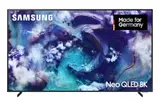

If you want to buy a new TV, it's easy to get lost in jargon. There's HDR, 120Hz and HDMI 2.1. And then there's OLED and QLED. These terms describe completely different technologies, and you often end up wondering which one is actually better. Samsung has focused heavily on QLED for years, while LG dominates the OLED TV market. But Samsung now also offers its own OLED models, which doesn't exactly make things simpler. So what's the difference between Samsung QLED and OLED? Let's take a closer look.
Key takeaways
QLED is essentially an evolution of LCD TVs that uses an additional layer of Quantum Dots to improve colour and brightness. OLED TVs, on the other hand, are a class of their own, where each pixel lights up by itself.
OLED scores highly on contrast and black levels, since pixels can be switched off completely, resulting in an "infinite" contrast ratio. QLEDs can get very bright, but don't quite reach the perfect black tones of OLED.
For very bright rooms, QLED often has the edge, as it reaches higher peak brightness and handles reflections better. OLEDs are also perfectly usable in bright settings, though, especially with anti-reflective coatings.
For gaming, both technologies offer benefits such as low input lag and HDMI 2.1 support. OLEDs often have a slightly quicker response time, but the differences are minor for most users.
When it comes to longevity, OLED carries the risk of 'burn-in' — permanently marked image content — although this is rarely an issue with normal use. QLEDs aren't affected by this. The choice between Samsung QLED and OLED depends largely on your personal priorities and how you plan to use the TV.
Samsung QLED vs OLED: The Technological Differences
When you're browsing new TVs, you quickly come across terms like QLED and OLED. These aren't just marketing buzzwords — they describe fundamentally different technologies that affect picture quality. Samsung focuses heavily on QLED, while LG dominates the OLED market. But Samsung now offers its own OLED models too, which makes things even more interesting.
What Does QLED Mean?
QLED stands for "Quantum Dot Light Emitting Diode". Essentially, a QLED TV is an evolution of the classic LCD TV. The "Q" comes from quantum dots, tiny particles sitting in a film between the backlight and the LCD panel. When light hits these quantum dots, they emit pure, colour-intense light.
The main goal is to improve the colour accuracy and brightness of LCD TVs.
So this technology is a kind of "upgrade" for LCDs, but it still relies on a backlight to produce the image.
What Does OLED Mean?
OLED stands for "Organic Light Emitting Diode". Here, the technology is in a completely different league. With OLED, every single pixel lights up on its own. There's no separate backlight at all. This means pixels that should be black can simply be switched off completely. The result is the deepest black levels and virtually infinite contrast. You could say OLED is a display class of its own, clearly set apart from LCD-based technologies.
QLED as an Evolution of LCD
Think of a QLED TV as an LCD TV that's learned a few new tricks. Quantum dots are the clever part here. They help display colours more purely and brightly than would be possible with conventional LCDs. This is especially good for High Dynamic Range (HDR) content, where precise brightness differences and a wide colour spectrum matter. But because a backlight is still needed, very dark scenes or dark rooms can show slight haloing or a less perfect black compared with OLED. The image processing in these sets is often very sophisticated, aimed at getting the most out of the technology. If you look at the most recent models, you'll notice that the differences between individual Samsung and TCL ranges can be considerable, which comes down to the type of backlight used.
OLED: A Display Class of Its Own
OLED TVs are in a category of their own. Because every pixel generates its own light, they can display black as truly black. This results in a contrast ratio that QLEDs simply can't match. Even the best QLEDs still have a backlight that lets at least a little light through. OLEDs are also often better in terms of viewing-angle stability — the picture still looks good even when you're not sitting directly in front of it. That said, OLEDs can sometimes reach their limits in very bright rooms or when showing very bright HDR content, since they don't quite reach the peak brightness of high-end QLEDs. Another point that sometimes comes up is the risk of "burn-in", meaning permanently marked image content, although this is rarely an issue with today's usage. Panel makers, mainly LG and Samsung, are constantly working on improvements to minimise these drawbacks. If you're after the ultimate contrast, OLED is often the first choice. Availability of sizes and prices can vary considerably though, so it's worth checking the
current deals
available.
Picture Quality: Contrast, Brightness and Black Levels
Infinite Contrast Thanks to Self-Emissive Pixels
With OLED TVs, every single pixel is self-emissive. This means pixels that need to show black can simply be switched off completely. The result is a
perfect black
, which conventional LCD-based TVs — even the best QLEDs — simply can't achieve. This results in a theoretically infinite contrast ratio. When an image has both very bright and very dark areas, the dark parts look genuinely deep black while the bright elements really shine. That makes a huge difference, especially in films and games, where the detail in shadows and highlights matters.
QLED: Higher Peak Brightness for HDR
QLED TVs, which are based on LCD technology and use quantum dots, have a decisive advantage when it comes to brightness. They can get noticeably brighter than OLEDs, especially during short, intense highlights. That's really important for HDR (High Dynamic Range) content. When a scene shows an explosion or a blazing light, a QLED can often render it more impressively. For rooms with plenty of daylight, or if you simply want a very dynamic image, this high peak brightness is a genuine advantage. QLEDs sometimes also come in a wider range of screen sizes, making them a good option for different living rooms.
Perfect Black Levels with OLED
As already mentioned, black levels on OLED are unbeatable. Because each pixel is controlled individually and can be switched off completely, there's no distracting backlight bleeding through. This is especially noticeable in dark rooms, where you get the full effect of deep blacks and high contrast. The picture often looks more three-dimensional and detailed as a result, particularly in dark film scenes. You get the sense of being drawn deeper into what's happening on screen.
Challenges with QLED Black Levels
Although QLEDs shine when it comes to brightness, they reach their limits with black levels. Because they rely on a backlight, achieving a perfect black is difficult. Even with advanced techniques like local dimming, where zones of the backlight are dimmed, you can still get a slight grey veil, especially in dark scenes or when bright objects appear against a black background. This is often called 'blooming' or the 'halo effect'. It isn't bad, but it's simply not the deep black that OLED offers. For gamers who value quick response times, QLEDs are still a good choice, though, as they often offer low input lag.
Colour Reproduction and Viewing-Angle Stability
When it comes to picture quality, colours and how well they hold up from different angles really matter. This is often where QLED and OLED part ways.
Quantum Dots for Brilliant Colours
QLED TVs use what are known as quantum dots. These are tiny particles that emit light in very specific colours when illuminated. The result is extremely pure, vivid colours, particularly in reds and greens.
This technology allows Samsung to produce colours that often look even bolder and more saturated than on many other displays.
This is great for films and games, where you want a lifelike picture. Sometimes, though, QLEDs can look a little too saturated if the settings aren't quite right.
OLED's Colour Accuracy and Saturation
OLED displays take a different approach. Each pixel lights up on its own and can be switched off entirely. This leads to infinite contrast, but also to very precise colour reproduction. OLEDs are known for their natural colour rendering and high saturation, without the colours looking overdone. They can also render very fine colour nuances, which stands out particularly with demanding content. For professionals who prioritise colour accuracy, OLEDs are often the first choice. The colour palette is wide and the colours often look very true to life.
Consistent Picture Quality from Every Angle
A big advantage of OLED is viewing-angle stability. Whether you're sitting directly in front of the TV or off to the side, the colours and contrast stay practically the same. This is great for families or when you're watching with friends and not everyone gets the perfect spot. You don't need to worry about who sits where. With QLED TVs, which are based on LCD technology after all, it can happen that colours fade slightly or contrast drops off at a shallow angle. This isn't equally bad on every model, though — newer QLEDs have improved considerably here.
Limitations with QLED Viewing Angles
Even though QLEDs shine when it comes to colour, viewing angle is often a weak point compared with OLED. At wider seating angles, brightness can drop and colours can lose some of their punch. This comes down to the way light travels through the LCD layers. For the best viewing experience, you often need to sit somewhat more centrally. If your living room has a wide sofa and several people watch together, this could be something worth bearing in mind. For gamers, who tend to sit directly in front of the screen anyway, it's usually not a big issue. If you're after a new smartphone that also offers good display quality, you might want to take a look at a
used Galaxy Z Flip 5
which also has a great display.
The choice between QLED and OLED depends heavily on how and where you use your TV. For rooms with plenty of ambient light, and if maximum brightness matters to you, QLED often has the edge. But if perfect black levels, infinite contrast and outstanding viewing-angle stability matter most to you, OLED is usually the better choice. Both technologies have their strengths and weaknesses, and the gap narrows with every new generation.
Brightness and Use in Bright Rooms
If your living room gets a lot of sunlight during the day, TV brightness is a real consideration. A picture that's too dim practically disappears in the light, and reflections can make watching a pain. This is where the differences between QLED and OLED really come into play.
QLED's Advantage in Daylight
QLED TVs traditionally have the edge here. Thanks to their technology, which relies on quantum dots and often Mini-LED backlighting, they can reach extremely high peak brightness. This means that bright scenes in films or games really shine and don't get lost in ambient light.
That often makes them the better choice for sun-drenched rooms.
Many Samsung QLEDs are also fitted with special anti-reflective coatings that minimise distracting reflections. This matters a lot, so you're not constantly seeing your own reflection or the window in the screen.
OLED's Performance in Well-Lit Environments
OLED used to be a clear no-go in bright rooms. The self-emissive pixels responsible for perfect black levels simply weren't bright enough. But times are changing. Newer OLED models, such as some from LG, have made real progress on brightness. They still aren't quite at the level of the top QLEDs for brightness, but the gap is narrowing. So if you're an OLED fan with a bright room, it's worth taking a close look at the newest models. They still offer that unbeatable contrast, but with improved brightness.
Glare-Free Displays for Bright Living Rooms
Whether QLED or OLED, look out for features that reduce glare. Samsung often calls this "Anti-Reflection" or "Glare Free". These coatings are worth their weight in gold if you're setting a TV up near a window. They scatter incoming light so it doesn't reflect directly as a distracting bright spot on the screen. This is a point that's often underrated but makes a huge difference to viewing comfort.
HDR Content on QLED and OLED
High Dynamic Range (HDR) content benefits enormously from a bright display. HDR renders contrast and colour far more vividly. On a QLED TV with high peak brightness, the bright highlights in HDR scenes — like sunshine or explosions — really come into their own. OLEDs score here with their perfect black levels, which make the contrast stand out even more, but the sheer brightness of the highest picture points is often ahead on QLEDs. For a truly impressive HDR experience in a bright room, the combination of high brightness and good contrast is what counts. So if you watch a lot of HDR content, choosing the right panel for your room's lighting matters even more. For the best picture quality, even in daylight, the
Samsung QLED TVs
are often a good choice.
Brightness (Nits)
The higher, the better for bright rooms.
Anti-Reflective Coating
Minimises distracting reflections.
Panel Technology
QLED often has a brightness advantage, but OLED is catching up.
HDR Performance
Bright displays render HDR content more impressively.
When choosing a TV for a bright room, it's important not just to look at brightness, but also at how well the set handles reflections. A good anti-reflective coating is almost as important as the panel's raw brightness.
Gaming Performance and Response Time
If you're a keen gamer, you'll know how much the right technology matters. A lot has happened with TVs in recent years, and both QLED and OLED now offer genuinely exciting features for your next gaming session.
Low Input Lag on Both Technologies
The most important thing for gamers is often response time — how quickly the TV reacts to your input. Both Samsung's QLEDs and LG's OLEDs have made significant progress here in recent years.
Input lag is often extremely low on both technologies
, which means there's barely any noticeable delay between pressing a button on your controller and seeing the action on screen. This matters a lot, especially in quick-paced games like shooters or racing games, where every millisecond counts. Sometimes the difference between the two technologies here is so small that you'd hardly notice it day to day. But if you want to be sure, check the specific model, since there are still differences between them.
HDMI 2.1 and High Refresh Rates
Modern consoles like the PlayStation 5 and Xbox Series X can render games in 4K at 120 frames per second (fps). To actually see that, your TV needs the right connections, and that's where HDMI 2.1 comes in. Many current QLED and OLED models, whether from Samsung or LG, come with several HDMI 2.1 ports. This means you can make full use of your console's power, with smooth frame rates and razor-sharp images. It's a genuine game-changer if you care about the best possible graphics and performance. It's great to see manufacturers stepping up here to meet the demands of the newest console generation. Support for high refresh rates is a must for a smooth gaming experience.
Variable Refresh Rate (VRR) for Smooth Gameplay
VRR is another neat feature you'll find on many gaming TVs. Imagine your graphics card or console isn't delivering a constant 120 frames per second. Without VRR, that can lead to stuttering or screen tearing. VRR dynamically matches the TV's refresh rate to the source's output. The result? A noticeably smoother, more stable picture, even when the frame rate fluctuates. This is a particular advantage in competitive games, where every second counts. Both Samsung and LG build VRR into their higher-tier models, which shows they're taking gamers' needs seriously. It's a feature you won't want to go without once you've experienced it.
Auto Low Latency Mode (ALLM)
ALLM is a feature that makes gamers' lives easier. When you connect a compatible console or PC, the TV automatically detects that you want to play. It then switches itself into the mode with the lowest input lag. So you don't have to fiddle around in the menu manually every time to activate the best gaming settings. It's really handy, since you can just sit down and get started. Many current TVs, including Samsung's, support ALLM. It's a small thing, but it makes a big difference to the gaming experience, especially when you switch quickly between different activities on the TV. It's a good example of how technology can work in the background to improve the user experience. If you play a lot, it's a feature you shouldn't underestimate. It's part of the overall package that makes modern TVs so appealing to gamers. Integrating technologies like Samsung DeX can also be useful for PC-like experiences on the TV, even though that isn't directly related to gaming performance.
The combination of low input lag, HDMI 2.1 and VRR/ALLM makes modern TVs a serious alternative to dedicated gaming monitors. The picture quality of OLED and QLED, paired with these gaming features, delivers an immersive experience that would once have been unthinkable.
Feature
QLED (Samsung)
OLED (LG/Samsung)
Low Input Lag
Very good
Excellent
HDMI 2.1 Ports
Often available (depends on model)
Often available (depends on model)
High Refresh Rates (120Hz+)
Yes (depends on model)
Yes
Variable Refresh Rate (VRR)
Yes (depends on model)
Yes
Auto Low Latency Mode (ALLM)
Yes
Yes
Range of Sizes and Pricing
When it comes to choosing the right screen size, both QLED and OLED offer a wide range, but with some important differences, especially if you're keeping an eye on your budget.
OLED's Available Screen Sizes
OLED TVs have become increasingly popular in recent years, and manufacturers have widened their range of sizes. Originally, they tended to sit in the upper price bracket and in standard sizes like 55 and 65 inches. These days, though, there are also smaller options that make sense for smaller rooms or as a second TV. The smallest OLEDs often start at 42 inches, which is a nice recent addition. The biggest currently available go up to 83 or even 97 inches — quite a serious size!
42 inches
48 inches
55 inches
65 inches
77 inches
83 inches
97 inches
QLED's Wider Choice of Screen Sizes
QLED TVs, which are essentially an evolved form of LCD technology, can be manufactured in an even wider range of sizes. This comes down to the underlying technology. Here, you'll often find smaller sets too, which work well in kitchens or bedrooms, for example at 32 inches. At the top end, the limits are also set very wide, with huge models reaching 100 inches or even 115 inches. This variety is a clear advantage if you have a very specific size in mind.
Cost Advantages with Large QLED TVs
One area where QLEDs often have the edge is cost, especially at larger sizes. Once you're looking at TVs over 65 inches, the price gap between a QLED and a comparable OLED model tends to become pretty noticeable. A 77-inch OLED can easily cost €2,200 or more, while a 75-inch QLED is often considerably cheaper. At even larger sizes, this gap becomes even more pronounced. That makes QLEDs an attractive option for anyone who wants a cinema-style experience at home without spending a fortune. Prices for these sets also tend to fall over time, so in a few years you'll probably get even more for the same money.
Buying a large TV is a dream for many people, and price trends show that this dream is becoming ever more affordable. QLED technology plays an important role here, enabling competitive prices even at very large screen sizes.
Price Differences at Similar Sizes
Even at common sizes like 55 or 65 inches, there can be price differences, but the gap is often narrower here. Picture quality on OLEDs at these sizes is often extremely high, and that's reflected in the price. Even so, there are QLED models that can keep up in terms of picture quality and features, often at a somewhat lower price. It's always worth comparing current deals and thinking about which features actually matter to you. Sometimes the premium for OLED is simply justified; sometimes QLED gives you a very good overall package for less money. If you're interested in a specific model, you could, for example, take a look at the
Samsung Galaxy Tab S9 FE+
to get a feel for Samsung's pricing, even though that's a tablet.
Longevity and Potential Drawbacks
The Risk of OLED Burn-In
With OLED TVs, 'burn-in' keeps coming up as a topic of discussion. This happens when a static image — think of a channel logo or a game's HUD display — stays on the screen for long stretches of time and effectively 'burns in'. It can then become visible as a faint, permanent shadow image, no matter what's on screen.
All OLED displays are susceptible to this
, although manufacturers now do a lot to prevent it. Modern OLEDs have protective mechanisms like pixel shifting or screensavers that significantly reduce the risk. But honestly, if you watch the same channel with a fixed logo for hours every day, the risk is higher. Vary what you watch, and you'll probably never run into problems. For most people, this isn't really an issue any more, but it's worth keeping in mind, especially if you game a lot or leave news channels running continuously. It's good to know you can rely on the technology, but you should still use it sensibly. If you're worried, take a look at what manufacturers recommend to avoid it.
More on OLED Burn-In
Lifespan of QLED and OLED
How long does a TV like this actually last? Manufacturers rarely give out precise figures, which is understandable. But generally speaking, a good TV should easily last five years or more. Plenty of older LCDs, and even plasmas, are still going strong. With OLEDs, there's the concern about burn-in, but as mentioned, that's usually overstated. Actual lifespan depends heavily on how you use the TV and how well it's built. Some last forever, others might give up after a couple of years. But hey, TV prices keep falling, which is one upside — you get more for your money all the time.
Maintenance and Care for Displays
Caring for these displays is actually pretty simple. For both technologies: keep harsh cleaning products well away. A soft microfibre cloth, perhaps lightly dampened with distilled water, is usually all you need. With OLEDs, it's worth making sure the display isn't unnecessarily exposed to static images for long periods. With QLEDs, that's less of a concern, but the same rule applies: less is more. Avoid running the TV at maximum brightness all the time — it saves power and is kinder to the components.
Samsung vs. LG: Panel Makers and Technologies
When we talk about QLED and OLED, there's no getting around Samsung and LG. Samsung focuses heavily on QLED, an evolution of LCD technology that uses quantum dots. LG, on the other hand, is the undisputed king of OLED and produces most of the OLED panels sold on the market. That means many other manufacturers who sell OLED TVs source their panels from LG. Samsung does have its own OLED efforts, mainly through QD-OLED technology, but in the classic OLED segment, LG remains the dominant force. This naturally affects picture quality and the models available. Both manufacturers have their strengths, and the choice often comes down to personal preference and budget. It's interesting to see how these two giants face off in the display market, especially considering that LG also plays a key role supplying panels to other brands. The differences in panel technology are decisive here, and it's worth knowing the details when making a purchase decision. A look at the
Samsung Galaxy Tab A11 4G LTE
shows how the brand focuses on reliability in other areas too.
Future Prospects and New Technologies
The world of displays keeps evolving, and both Samsung and LG are working on exciting new technologies that could change the way we watch pictures. It's a bit like when smartphones first came along — a genuine game-changer.
Emissive QLEDs: The Next Generation?
Some people are already talking about "Emissive QLEDs" or EQLEDs. The idea is that the quantum dots would emit light themselves, rather than being illuminated by a backlight. In theory, this could achieve the perfect black levels and infinite contrast of OLED, while retaining the brightness and durability you'd expect from QLED. It'll still be a while before we see these TVs in shops, though.
MicroLED: An Alternative for the Future
MicroLED is another technology being pushed forward by Samsung and LG. Here, tiny LEDs are used as individual pixels. This promises incredible brightness, perfect black levels and no risk of burn-in. The catch? Currently these TVs are astronomically expensive and really only suited to absolute luxury budgets. But who knows what the future holds.
QD-OLED: Samsung's Hybrid Approach
With QD-OLED, Samsung has found an interesting middle ground. This technology combines OLED's self-emissive pixels with quantum dots. The result is fantastic picture quality with deep black levels and vibrant colours. It's a bit like getting the best of both worlds. You'll find this technology, for example, in some of the newest Samsung smartphones, which offer a great display experience.
The Evolution of Display Technologies
It's clear that display technology is evolving rapidly. Whether Emissive QLED, MicroLED or QD-OLED, manufacturers are constantly looking for ways to make the picture even better, brighter and more vivid. For us as consumers, that means we can expect some exciting developments over the coming years. It's an exciting time to be shopping for a new TV, as the choice and quality keep getting better. Prices for top-tier models are still high, but the technology becomes more affordable over time, much like the first smartphones, which also cost a fortune back then. So it's worth keeping an eye out if you're after the perfect picture.
Samsung vs. LG: A Direct Comparison
When it comes to TVs, Samsung and LG are two names that spring to mind immediately. Both manufacturers have been locked in a head-to-head race for years, especially when it comes to their flagship technologies: Samsung's QLED and LG's OLED. But who really makes the better picture? That's the question many people ask themselves.
Samsung's QLED and OLED Line-Up
Samsung stuck firmly to QLED for a long time, which is essentially an evolution of LCD TVs with an added layer of quantum dots. This technology aims to improve colour brightness and volume. In recent years, though, Samsung has also started offering its own OLED TVs, often under the QD-OLED name. It's a little confusing, since they're now effectively playing on both sides. Their QLED models, especially the Neo QLED range, are known for high brightness, making them a good choice for bright rooms. They come in a wide range of sizes and price points, which makes them accessible to many people. So if you're after a new set, it's good to know Samsung no longer relies on just one technology. They also have a broad line-up of tablets, such as the
Galaxy Tab S10 Lite
which fits neatly into the ecosystem.
LG's Dominance in the OLED Market
LG, on the other hand, is the undisputed king of the OLED market. For years, they've been producing the panels that go into most OLED TVs worldwide — including Samsung's. LG's OLEDs are famous for their perfect black levels and infinite contrast, since every pixel lights up on its own and can be switched off individually. This leads to picture quality that's particularly impressive in dark scenes. They also offer excellent viewing-angle stability and quick response times, which makes them popular with gamers. Although they generally don't quite reach the peak brightness of high-end QLEDs, picture quality on LG OLEDs is often extremely high, whichever model you choose. You could say LG has made a name for itself with OLED, and deservedly so.
Comparing the Image Processors
A major difference between the manufacturers often lies in how they process the image. Samsung relies on its own processors, designed to make the most of the brightness and colours on its QLED displays. They're often very good at brightening SDR (Standard Dynamic Range) content and giving it more punch. LG's processors, which run in their OLEDs, tend to focus more on bringing out the natural strengths of OLED technology — such as perfect black levels and contrast. They're often very good at preserving fine detail in dark areas and minimising noise. It's a bit like the difference between a painter who favours bold, vivid colours and one who focuses on subtle shading and depth. Both approaches have their merits, depending on what you prefer.
Smart TV Platforms: Tizen vs. WebOS
When we talk about smart TVs, we can't avoid the user interface. Samsung uses its own operating system called Tizen. It's pretty quick and offers a good selection of apps, though sometimes it shows a bit more advertising than you might like. LG uses webOS, which is praised for its ease of use and clean design. The menus are intuitive, and you find your way around quickly. Both systems have improved considerably over the years and give access to all the major streaming services. The choice between Tizen and webOS often comes down to personal taste. Some people like the way Tizen is laid out, others prefer the simplicity of webOS. Either way, both manufacturers deliver a solid smart TV experience. If you're interested in a Samsung device, also consider the smartphones, such as the
Galaxy S24 Ultra 5G
which also has a great display.
The choice between Samsung and LG depends heavily on which technology you prefer and what your living room is like. For bright rooms and maximum brightness, a Samsung QLED could have the edge, while for the ultimate cinema experience in a darkened room, an LG OLED is often the better choice. That said, both manufacturers also offer models that blur the lines, such as Samsung's QD-OLEDs.
Here's a quick overview that might help
Samsung QLED
Often brighter, good for sunny rooms.
Wider price range and more size options.
Quantum dots for vivid colours.
LG OLED
Perfect black levels and infinite contrast.
Outstanding viewing-angle stability.
Every pixel lights up on its own.
Ultimately, it's a personal decision, but both brands deliver top-tier quality. It's worth comparing the models side by side directly if you get the chance.
Calibration and Optimal Picture Settings
The Basics of TV Calibration
TVs are great, but the factory settings are often far from ideal. They're usually tuned for maximum brightness and bold colours so they look good on a shop floor. That has little to do with a natural-looking picture, though. Calibration helps you get the most out of your QLED or OLED. It's about adjusting colour, brightness and contrast so they come as close to reality as possible. This matters especially if you want to watch films or shows the way the director intended.
Specific Settings for QLED
QLED TVs, with their quantum dots, can get very bright and have vivid colours. When calibrating a QLED, you pay particular attention to peak brightness for HDR content. There's often still room to squeeze out the full potential of HDR here. But be careful — too much brightness can also lead to loss of detail in very bright or dark scenes. So you need to find a good middle ground.
Brightness (OLED Light / Backlight)
Adjust according to room lighting. Don't always set it to maximum.
Contrast
You can usually push this close to maximum without losing much.
Colour
The factory settings are often already quite good, but a slight adjustment can make the picture look more natural.
Sharpness
Less is often more. Too much sharpness makes the picture look artificial.
Optimal Calibration for OLED TVs
OLEDs shine with perfect black levels and infinite contrast. When calibrating an OLED, the focus is often on setting brightness to suit the room, without overdriving the picture or increasing burn-in risk. You want to preserve the benefits of perfect black while still having enough brightness for a vivid image. Colour accuracy on OLEDs is often already very good out of the box, but small adjustments can refine the viewing experience even further.
With OLEDs, it's important to choose brightness settings carefully. They're less prone to burn-in than they used to be, but consistently very high brightness with static image elements is still not a good idea. A moderate setting that keeps the picture looking vivid is usually the best choice.
Factory Settings vs. Professional Calibration
Factory settings are a compromise. They're meant to work reasonably well across many different environments and types of content, and that works better in some cases than others. A professional calibration, carried out with specialist measuring equipment, is tailored to your specific set and viewing habits. The result is a picture that meets recognised standards and simply looks better. But honestly, who actually does that? For most people, adjusting the basic settings yourself is enough to notice a real difference. You don't always need the full professional treatment.
So What's the Takeaway?
At the end of the day, the choice between Samsung's QLED and LG's OLED (or even Samsung's own OLEDs) isn't that complicated once you look closer. For most of us who simply want a good TV that produces a great picture, what matters most is that the colours are right and the image is sharp. Whether that comes from QLED or OLED is almost secondary. But if your living room is really bright, a QLED could have the edge. If you prefer darker rooms and love deep black, OLED is probably your thing. And hey, both brands now build genuinely good sets, so you're unlikely to go wrong with either. The best approach is to have a look at them yourself before you decide.
Frequently asked questions
What's the Main Difference Between QLED and OLED?
Think of TVs as two different kinds of painters. OLED TVs are like painters who can make every tiny dot on the canvas glow by itself. That means they can show super-dark blacks and bright colours at the same time. QLED TVs are more like painters with a special layer of tiny colour particles (the 'quantum dots') on their canvas. This layer helps make colours even more vivid and bright, but they need a backlight, which can sometimes make black a little less perfect than on OLED.
Which TV Is Better for Bright Rooms: QLED or OLED?
If your living room gets a lot of light during the day, a QLED TV is often the better choice. They're generally brighter and can hold their own against sunlight better, without the picture looking washed out. OLEDs can get bright too, but their strength lies more in dark rooms, where they can show off their excellent black levels to the full.
Do OLED TVs Have a Problem With 'Burn-In'?
Yes, this is a known concern with OLEDs. If the same image (like a channel logo or a game's status bar) stays on screen for a very long time, it can effectively 'burn in' and remain visible as a shadow. Modern OLEDs come with plenty of protective features, though, and for most people who watch TV normally rather than showing the same image for hours, the risk is very low.
Which Brand Is Better: Samsung or LG?
That's hard to say, because both build great TVs. Samsung excels at QLED and has also developed its own OLEDs (QD-OLEDs), which aim to combine the best of both worlds. LG is the king of pure OLED and is known for its fantastic picture quality. It really comes down to what matters more to you: brightness (leaning towards Samsung QLED) or perfect black levels (leaning towards LG OLED).
Are QLED and OLED Good for Gaming?
Yes, both technologies have improved a great deal in recent years and are great for gamers. They offer quick response times, low input lag, and support modern connections like HDMI 2.1, which matters for smooth gameplay on new consoles and PCs.
What Screen Sizes Are Available for QLED and OLED?
With OLEDs, the range of sizes is a bit more limited, but they're available from smaller to very large formats. QLED TVs, since they're based on LCD technology, often come in an even wider range of sizes, from very small to huge sets, and larger QLEDs are often cheaper than similarly sized OLEDs.
What Does 'Calibration' Mean for TVs?
Calibration means adjusting the TV's settings so that colour and brightness are as true to life as possible, matching what filmmakers or game developers intended. Many people just use the factory settings, but a professional calibration, or adjusting the picture following a specific guide, can make it look even better, especially for film enthusiasts.
Is There a Future Technology Better Than QLED and OLED?
Yes, research never stands still. Samsung, for example, is working on 'emissive QLEDs', which could be even better. Another exciting technology is MicroLED. It's extremely expensive and mostly found only in huge displays, but it promises perfect black levels, superb brightness and no risk of burn-in. So watch this space.